
Download eGiving – Electronic Collection System, Tithes & Offerings, Church Giving Tool
Overview
eGiving is a dedicated electronic collection system designed for members of the Seventh-day Adventist Church within the South Pacific Division. Developed by Seventh-day Adventist Church SPD Limited, the application streamlines the process of contributing tithes and offerings through a secure, mobile-first platform. It enables users to make donations using credit or debit cards both in-person at church services and remotely from any location at any time.
The software addresses the need for a convenient, reliable, and transparent method of financial giving, reducing reliance on physical envelopes and manual collection processes. This digital solution is particularly beneficial for congregants who value flexibility, consistency, and accountability in their contributions. It supports both one-time and recurring transactions, allowing users to set up scheduled giving on a weekly, fortnightly, monthly, or quarterly basis.
The app also maintains a personal giving history, providing a clear and accessible record of past donations. This feature enhances transparency and supports personal stewardship. The developer did not provide additional system requirements beyond the Android platform, and no further details on deployment or integration with church accounting systems were specified.
Key Features & Capabilities
- Electronic Tithe & Offering Collection: Allows users to contribute tithes and offerings digitally via credit or debit card, eliminating the need for physical envelopes.
- Flexible Payment Scheduling: Supports recurring transactions set to weekly, fortnightly, monthly, or quarterly intervals, with easy editing or cancellation options.
- Customizable Giving Settings: Users can personalize their donation preferences, including default payment methods and church-specific settings.
- Giving History Access: Provides a built-in record of all past contributions, enabling users to track their giving patterns and maintain transparency.
- Remote & In-Church Accessibility: Functions both within church premises and from any location, ensuring uninterrupted access to the giving system.
- Secure Transaction Processing: Utilizes secure payment gateways to protect user financial data during transactions.
These features collectively support a seamless and consistent giving experience. For example, a member can set a monthly tithe to be automatically deducted and later verify the transaction in their history. The ability to customize defaults reduces friction for repeat givers, while the remote access function ensures participation even when physical attendance is not possible. The app’s focus on usability and transparency aligns with the values of digital stewardship and community engagement within the church context.
User Interface, Workflow & Performance
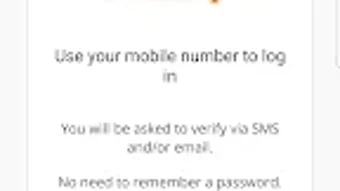
The user interface of eGiving is designed for simplicity and ease of navigation, reflecting the needs of a religious community that may include users with varying levels of digital literacy. Core actions—such as making a donation, viewing giving history, and adjusting recurring payments—are accessible through intuitive menus and clearly labeled buttons. The workflow is linear and task-focused, guiding users through each step of the donation process without unnecessary complexity.
While specific UI details such as color schemes or layout structure were not provided, the app appears to prioritize clarity and function over visual embellishment. Performance observations are based on general software behavior patterns. The developer did not specify resource usage details, including CPU or RAM consumption.
Stability is expected to be maintained through internal monitoring, as the app collects crash data via the Bug Snag platform. Access to this data is restricted to authorized personnel from the South Pacific Division and its development partner, Rocket Lab Pty Ltd. This ensures ongoing quality control and timely resolution of technical issues.
The app is designed to operate reliably under typical usage conditions, though exact performance metrics were not disclosed.
Compatibility & System Requirements
eGiving is available exclusively for the Android operating system. The developer did not specify the minimum Android version required for installation, nor did they provide details on device hardware requirements such as RAM, storage, or processor specifications. Installation size was not listed in the provided information.
Platform compatibility information is limited to Android, with no indication of support for iOS, Windows, or Mac. The app is designed to function on mobile devices with internet connectivity, enabling access to the electronic collection system both in church and remotely. The developer did not provide additional system requirements beyond the Android platform.
Users should ensure their device meets standard Android compatibility standards for running third-party applications. Exact performance details were not specified, and no information was shared regarding offline functionality or data synchronization behavior.
Pros and Cons
Pros
- Free to download and use, reducing barriers to participation in church giving.
- Supports recurring donations with customizable schedules for greater convenience.
- Provides a transparent record of all past contributions for personal accountability.
- Enables giving both in-person and remotely, increasing accessibility for members.
- Secure payment processing with protected financial data.
- Customizable settings allow users to personalize their giving experience.
Cons
- Available only on Android, limiting access for iOS users.
- No information on system requirements or device compatibility was provided.
- Platform-specific limitations may affect usability for non-Android users.
- Dependent on internet connectivity for transaction processing and access.
- Development and support are restricted to a single church division, potentially limiting broader adoption.
FAQ Section
Is eGiving available for iOS devices?
As of the provided information, eGiving is only available for Android devices. There is no indication of iOS support at this time.
Is the app secure for making financial transactions?
Yes, the app uses secure payment gateways to process transactions and protect user financial information. Crash and usage data are collected via Bug Snag, but access is restricted to authorized personnel.
Can I schedule recurring donations?
Yes, users can set up recurring donations on a weekly, fortnightly, monthly, or quarterly basis and edit or cancel them at any time within the app.
Do I need an internet connection to use eGiving?
Yes, an active internet connection is required to access the app, make donations, and view giving history.
Who should I contact if I have feedback or technical issues?
Feedback or inquiries should be directed to the Church's IT team at [email protected].
Final Thoughts
eGiving offers a practical and accessible solution for Seventh-day Adventist Church members in the South Pacific Division who wish to contribute tithes and offerings digitally. Its focus on simplicity, recurring giving, and transparent record-keeping makes it a valuable tool for promoting consistent and responsible stewardship. While the app is limited to Android devices and lacks detailed system specifications, its core functionality is well-aligned with the needs of its target audience.
The inclusion of secure transaction processing and remote access enhances both convenience and participation. For members seeking a reliable, free, and church-specific giving platform, eGiving presents a strong option. Download eGiving now to experience a modern, secure, and flexible way to support your congregation.







